DucyDrive · Android USB tools

Format USB drives. Clear next steps.

Format compatible USB drives for Windows, Mac and Linux, then explore inspection, imaging, backups, testing and repair from your Android device. Clear choices, step-by-step help and no root access.

Free download. Advanced USB tools require paid Premium. File browsing, inspection and setup previews are free. Free formatting is limited to compatible FAT12/FAT16 quick-format data drives up to 2 GiB with an MBR layout. Compare Free and Premium.

Version 4.0.0 (276) · submitted for review

More formatting choices. A simpler start.

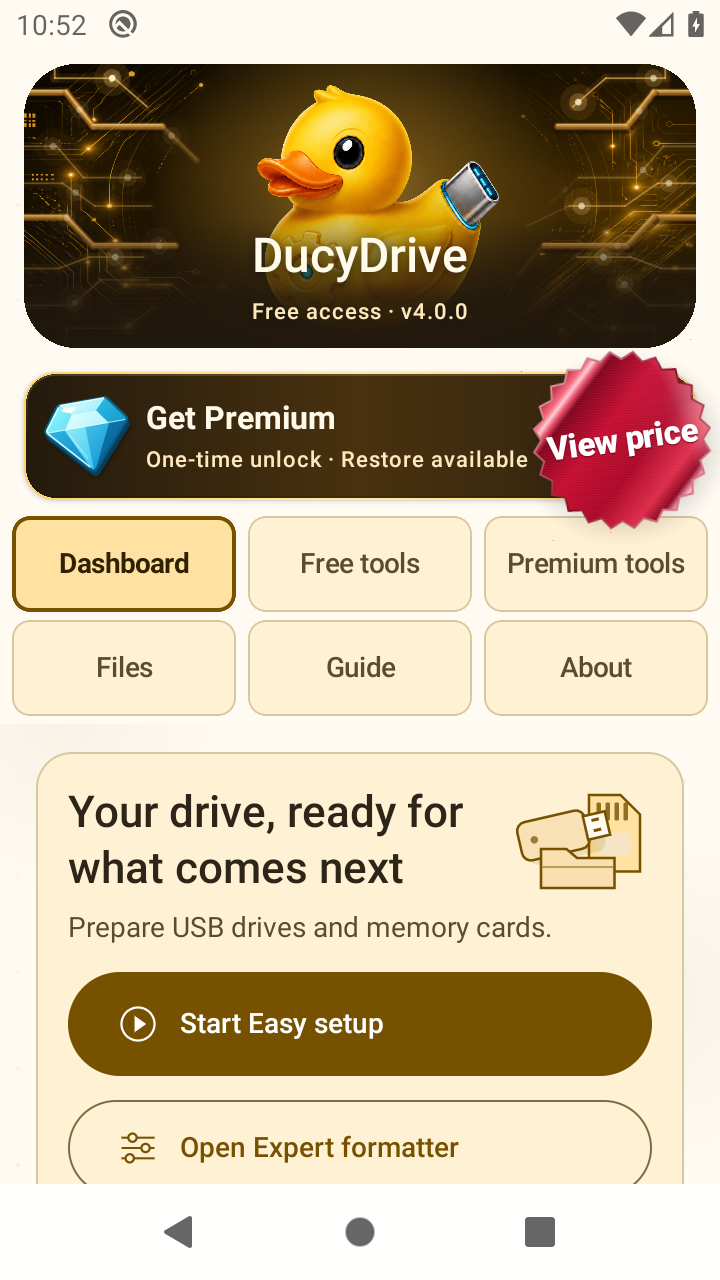
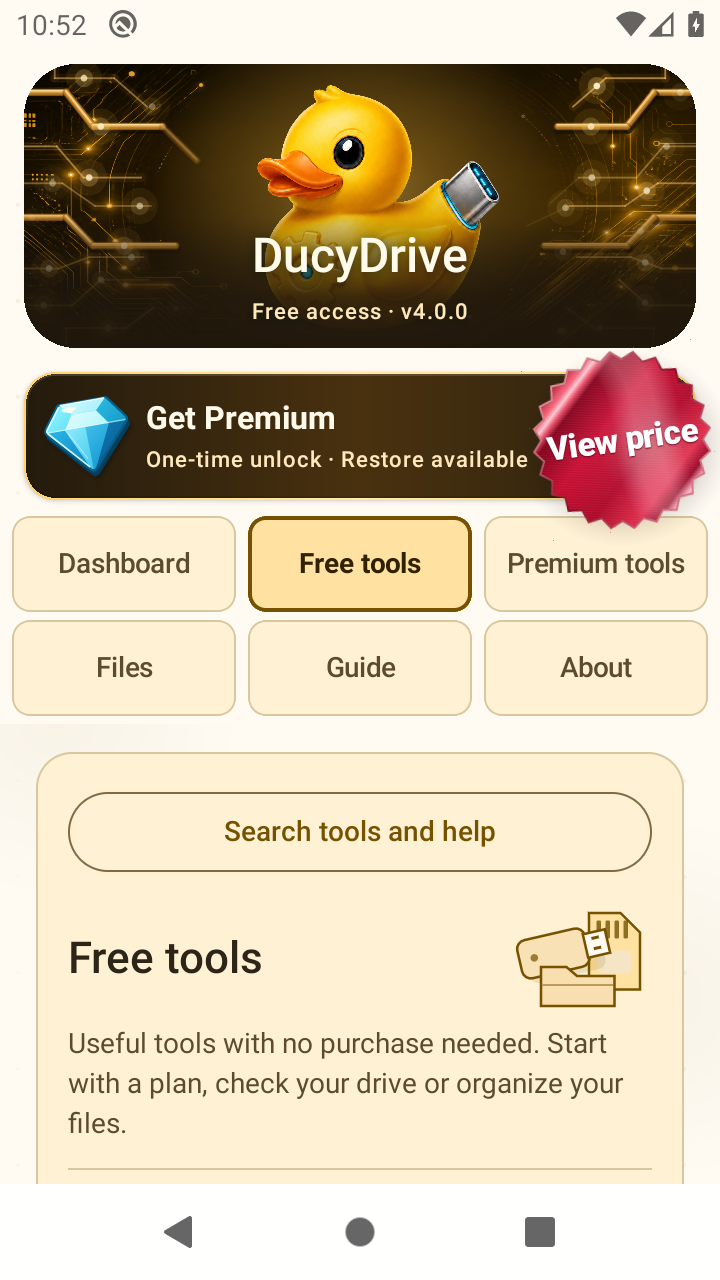
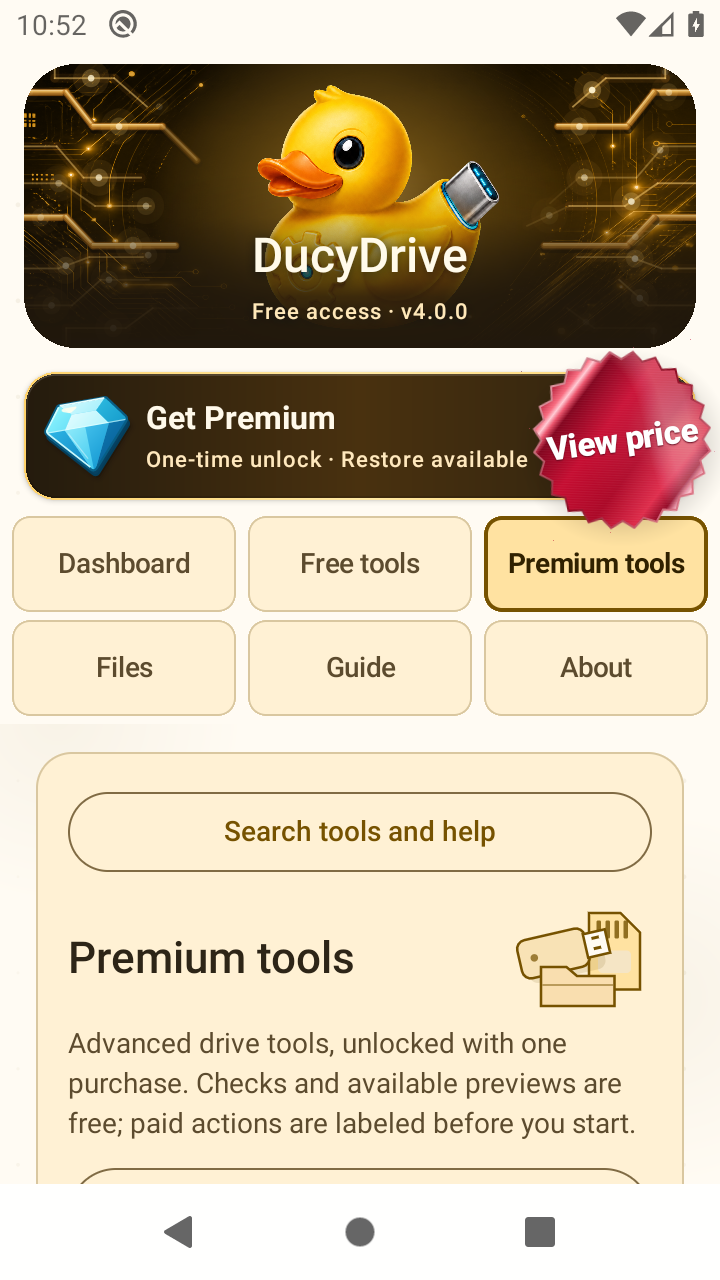
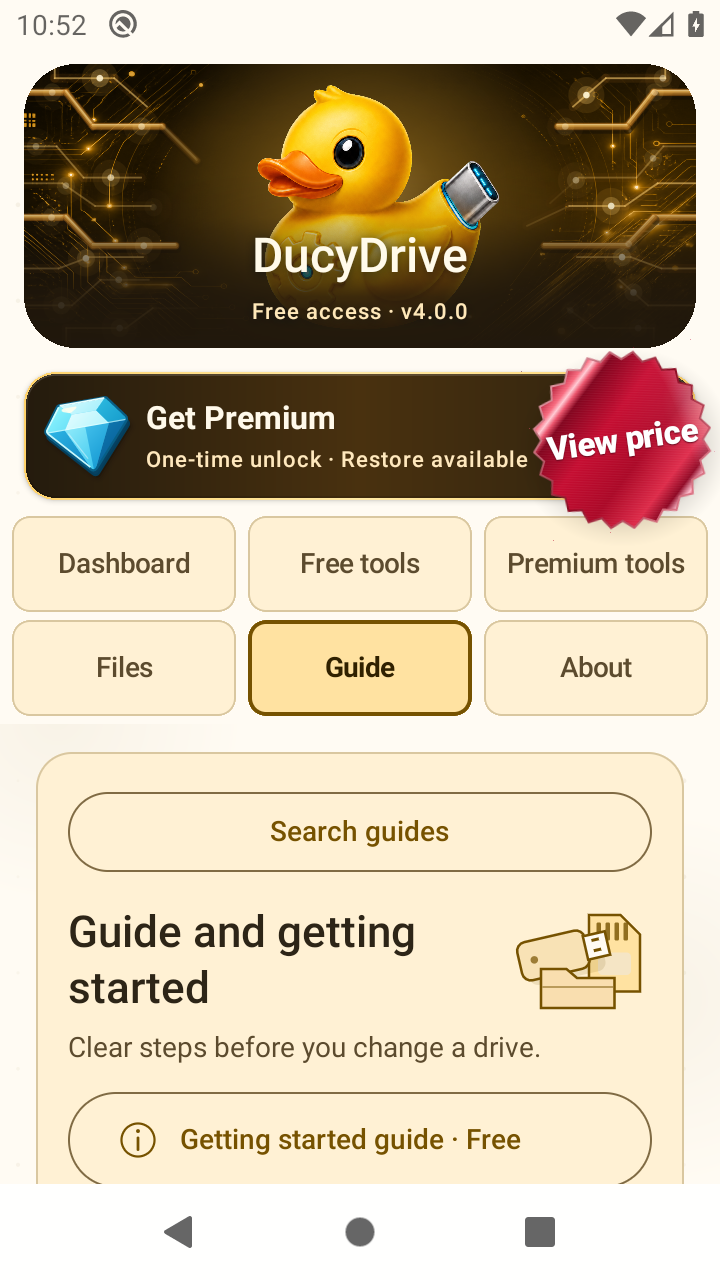
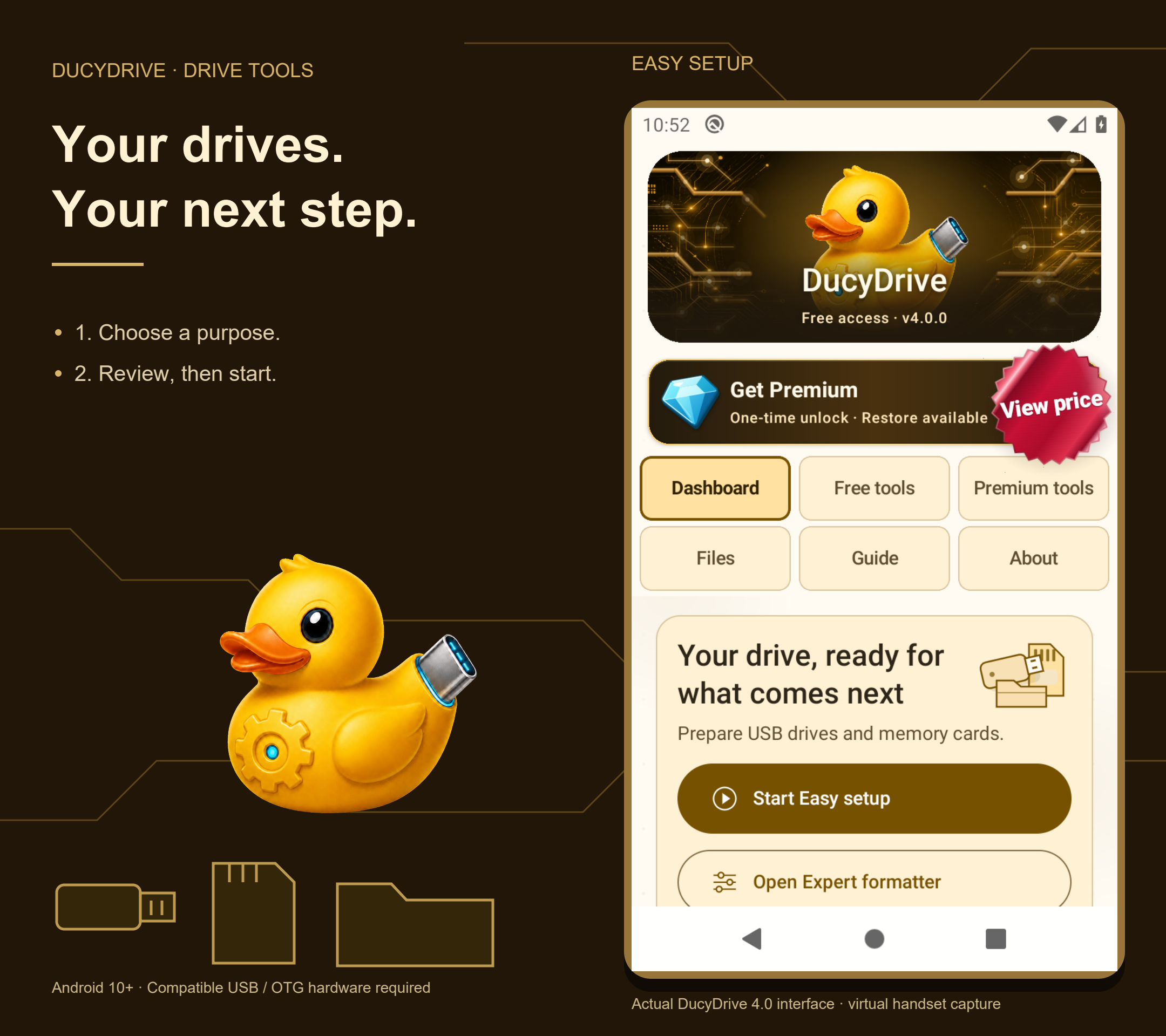
Dashboard helps you get started. Free tools and Premium tools have separate tabs. Files, Guide and About complete two aligned navigation rows that adapt to the display.

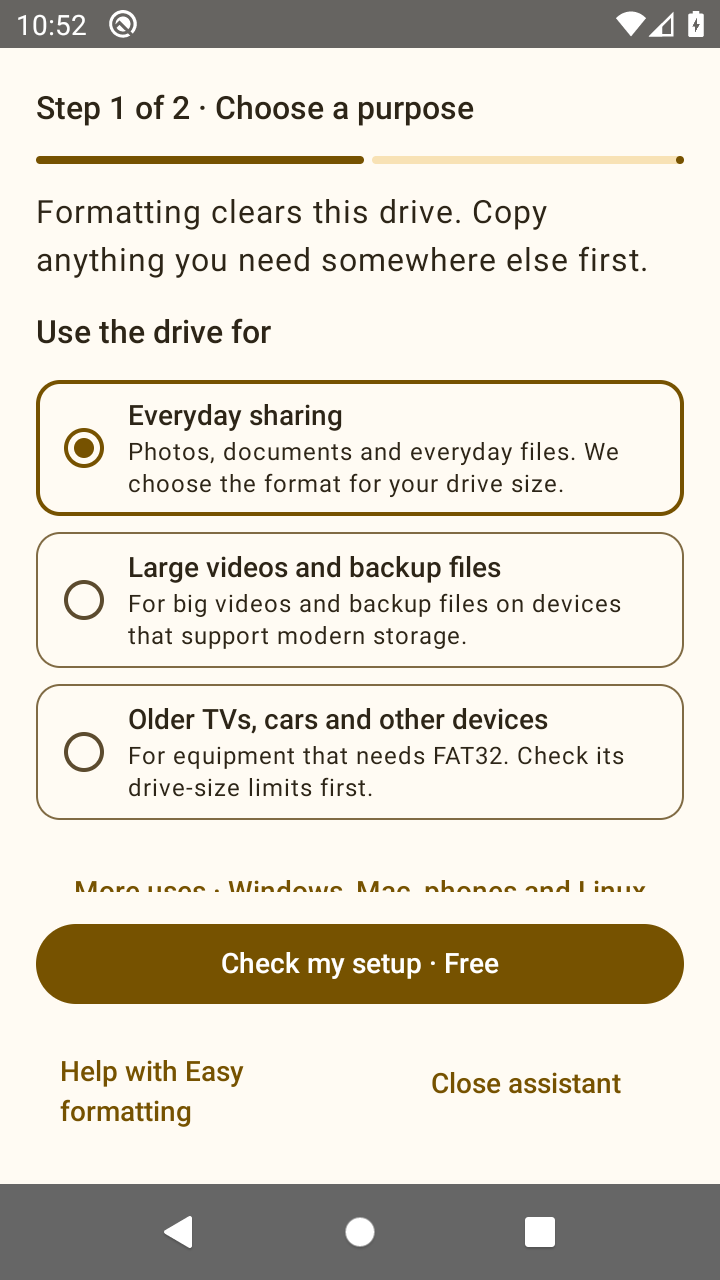
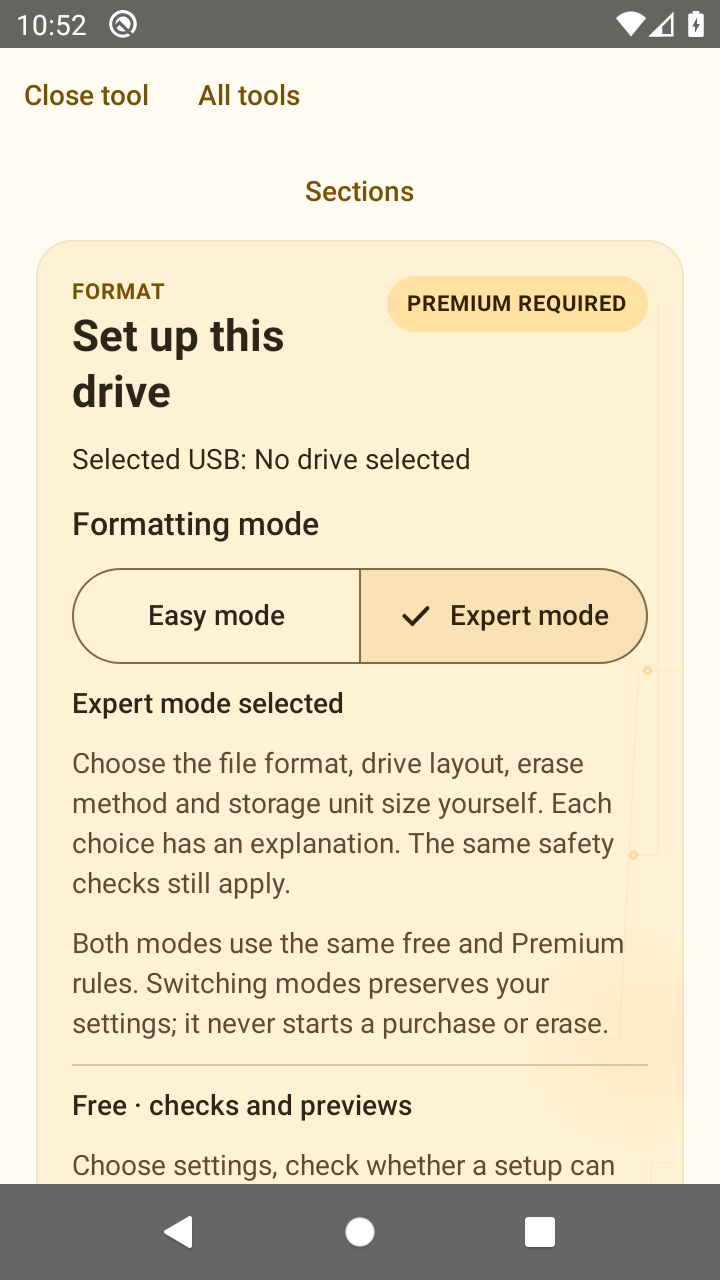
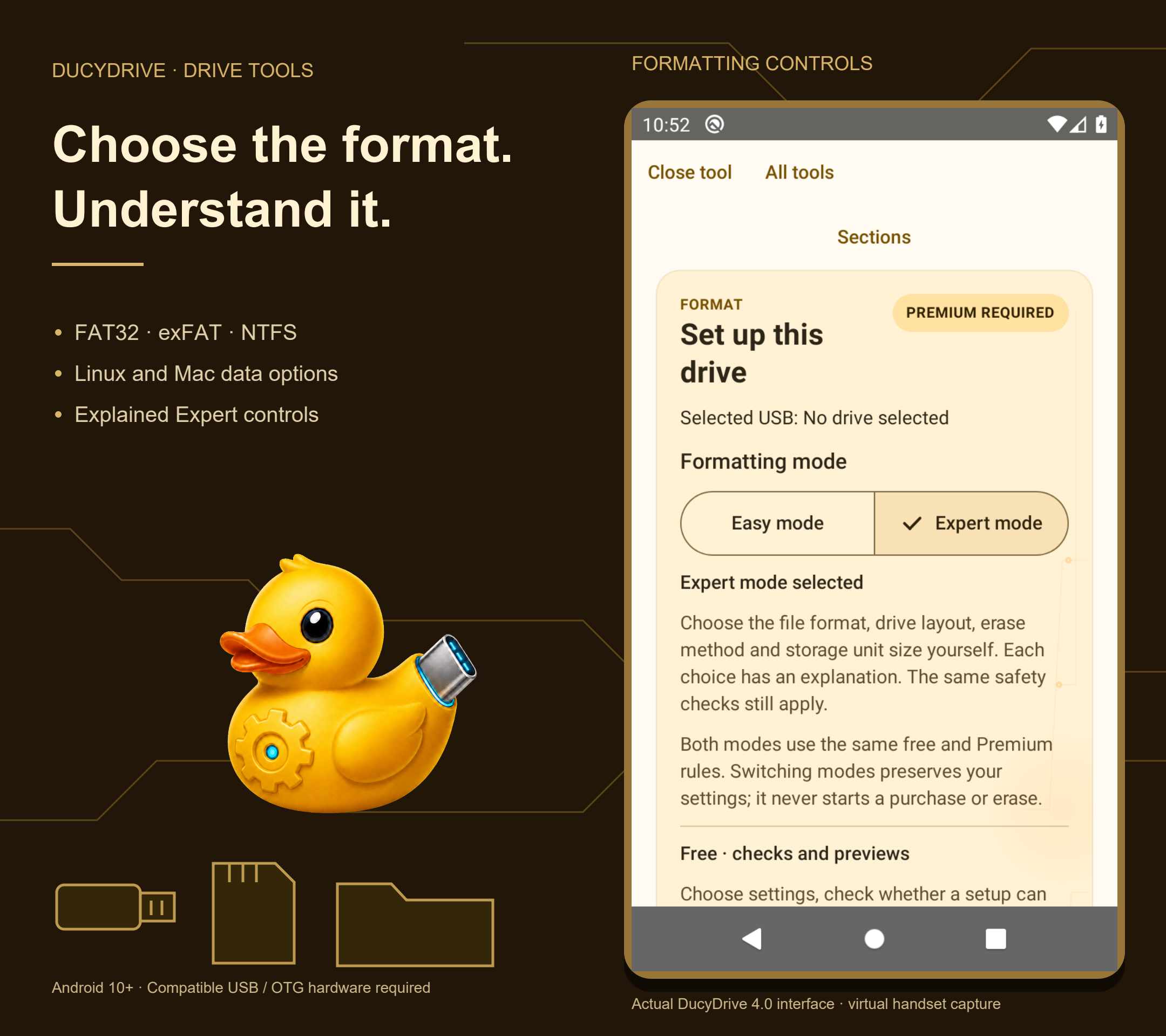
Easy setup has two stages: choose a purpose, then review and start. Expert provides manual choices with explained settings. Checks and available previews are free; running advanced formatting and other Premium actions requires the one-time unlock.

Version 4.0.0 (276) was submitted to Google Play for review on November 7, 2026. The current production release is 3.0.0 (246). Check Google Play for the version available to your device.

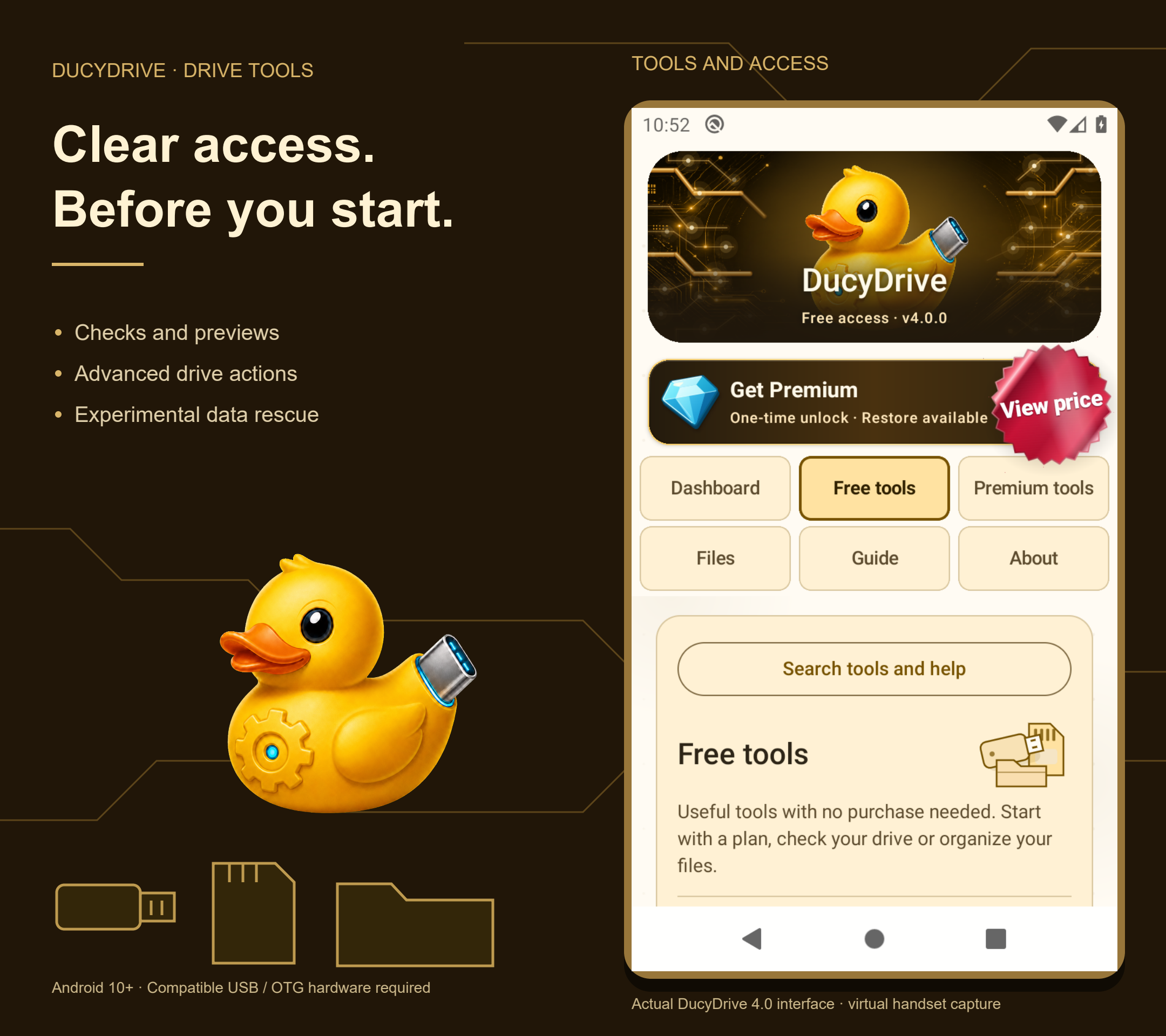
Actual optimized 4.0.0 Dashboard with the approved duck header and Premium banner preserved

Inside DucyDrive 4.0

Clear choices, from first use to expert settings

Actual optimized 4.0.0 build 276 captured on a virtual Android handset at normal text size. The approved header, banners, artwork and palette are unchanged. Version 4.0.0 (276) was submitted to Google Play for review on November 7, 2026. The current production release is 3.0.0 (246). Check Google Play for the version available to your device.

DucyDrive 4.0.0: getting started with Easy and Expert options and Premium details
Dashboard · start with a task
DucyDrive 4.0.0: free planning, inspection and file tools
Free tools · no purchase needed
DucyDrive 4.0.0: advanced USB tools and optional purchase information
Premium tools · paid actions labelled
DucyDrive 4.0.0: searchable help with direct links to the tools
Guide · search and learn
DucyDrive 4.0.0: plain-language setup and review steps
Easy · review before changing a drive
DucyDrive 4.0.0: manual formatting settings with explanations
Expert · explained controls

The DucyDrive toolkit

Made for your drives and files

Explore the three joined designs from the 4.0 store carousel, featuring actual app screens.

Explore the USB tools and understand access before choosing a paid action. USB flash drives and memory cards need a compatible Android USB connection or card reader.

See the complete storage-tool artwork
DucyDrive duck, USB drives and current Dashboard; most formats require one-time paid Premium
DucyDrive duck, USB drives and current Dashboard; most formats require one-time paid Premium.
DucyDrive formatting choices with explained Expert controls; advanced actions require Premium
DucyDrive formatting choices with explained Expert controls; advanced actions require Premium.
DucyDrive free file browsing, drive checks and previews compared with paid advanced USB actions
DucyDrive free file browsing, drive checks and previews compared with paid advanced USB actions.

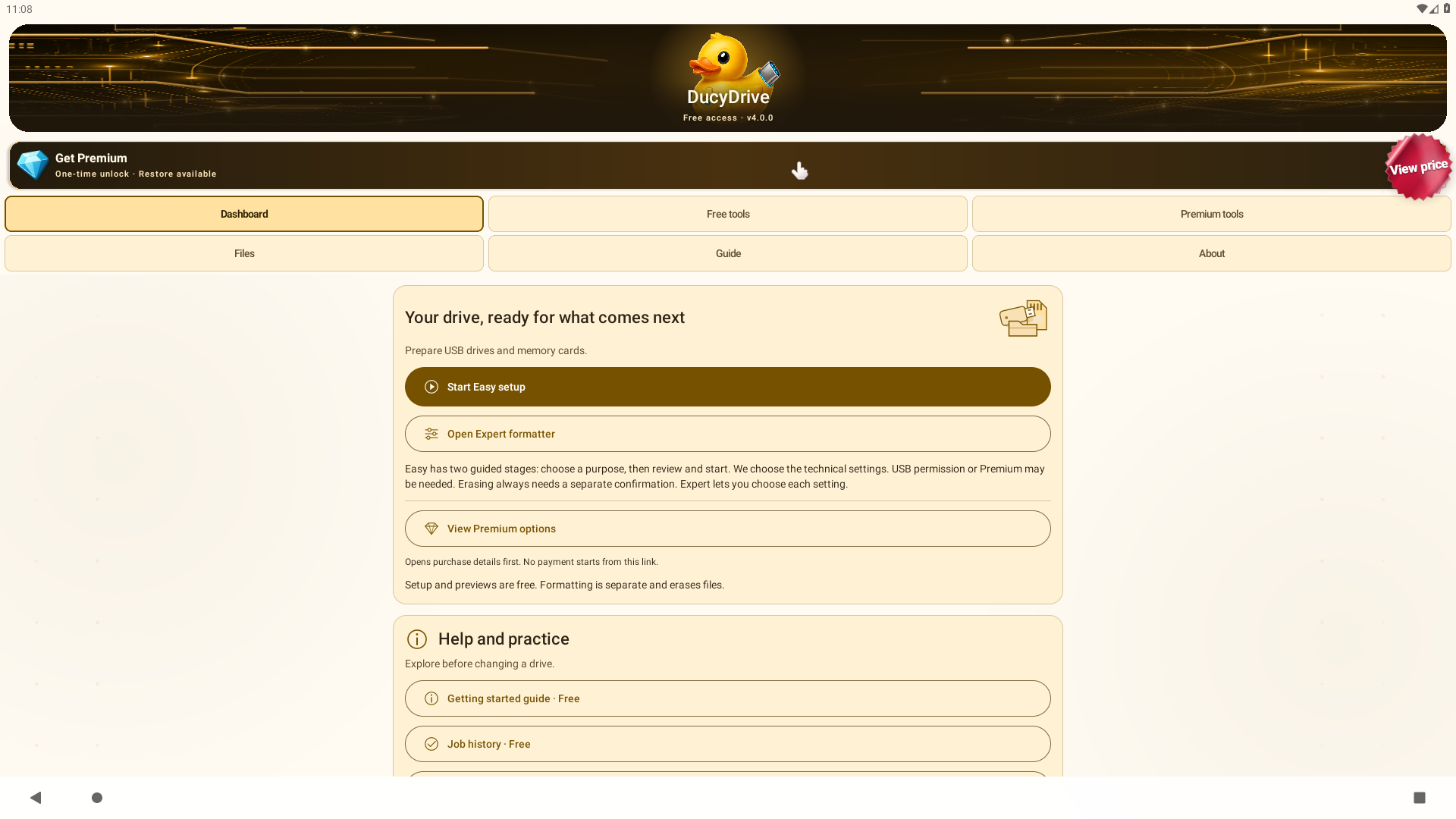
See the 4.0 large-screen interface.

Straightforward access

Useful free tools. One-time Premium.

DucyDrive has no advertisements, subscriptions, coins, credits, or recurring charges. A single Google Play purchase permanently unlocks the advanced USB tools for the purchasing Google account.

Free tools

  • File Explorer: browse, search, preview and copy files where Android allows access.
  • Free experimental Data rescue, with best-effort recovery and no guarantee of success.
  • USB inspection, GPT analysis, device-use planning, file-fit checks, saved setups, guides and setup previews. Planning is free; running a Premium action is paid.
  • Limited formatting: compatible drives up to 2 GiB (2,147,483,648 bytes), FAT12/FAT16, MBR layout, Quick mode and Data use only.

This small-media formatting allowance is permanent, not a one-use trial. FAT32, exFAT and NTFS formatting require Premium even on small drives.

Premium · one-time purchase

  • Other supported formatting setups, including FAT32, exFAT and NTFS.
  • Supported raw-image writing and drive-image backups.
  • Drive speed and full-capacity testing, wiping, eligible GPT repair and verified metadata rollback.

Specialist formats retain device-specific compatibility limits. Experimental Data rescue is free and best effort. Paid metadata rollback is separate from deleted-file recovery.

Purchase or restore access. Internet and Google Play are needed to verify protected operations.

Current one-time price

United States: US$1.99 once, verified November 7, 2026. Regional prices and applicable taxes vary. This is the current price, not a new discount or a promised future price.

The app's price sticker and purchase explanation use the current product price supplied by Google Play for your Play account's country and available currency. There is no fixed worldwide price or manual currency conversion.

If Play cannot supply a price, the app invites you to view or check the price instead of guessing. Review Google's final checkout price and any applicable tax before paying.

Already purchased or payment pending? Check or restore access using the purchasing Google account; do not buy again.

No ads, subscriptions, coins or recurring charges.

Premium unlocks supported tools; it does not bypass Android's protected folders or guarantee that every drive, image or computer will work. APFS formatting, Time Machine setup and universal boot compatibility are not included. Keep independent backups before operations that change a drive.

A capable USB toolkit in your pocket

What you can do with DucyDrive

Connect a compatible USB drive to your Android device and handle common storage jobs with clear choices, safety checks, and no root access.

Format supported storage

Choose the receiving device, preview a compatible setup, and confirm the correct drive before erasing.

Inspect a USB drive

Review the selected device, capacity, partitions, and filesystem details before making changes.

Work with image files

Inspect supported image files and choose a guided writing workflow for compatible USB media.

Choose before changing a drive

Read image and drive details, choose an appropriate layout, and see important cautions before a destructive action.

Verify the result

Use supported source-hash, read-back, partition, and filesystem checks, then keep a clear operation receipt.

Learn as you go

The Guide tab adds searchable instructions and direct tool links. Tool explanations remain available beside the controls.

Manage on-device files

The free Files tab provides native browsing, previews, verified copies and Recovery where Android permits access. No USB drive is needed.

Earlier interface video · version 2.6.5

Choose a task. Understand the next step.

Historical interface recording from 2.6.5. It does not show the new two-row tabs or Guide. Use the 3.0.0 screenshots and illustrated PDF above for the released 3.0.0 update.

Use Try a sample setup to explore format choices without changing files. In 3.0.0, choose Free tools or Premium tools, open Guide for help, or Files for free on-device browsing. Choose a workflow.

Watch on YouTube →

Earlier real-device USB demonstration

Historical version 2.0.1 recording showing a connected USB drive. It shows the earlier interface.

One official destination

Legal, support, and verification resources

Find practical guides, payment and restoration help, privacy information and the latest release notes in one place.

Formatting & USB toolsGuided workflows, verification, and safety
Local-firstUSB contents remain on-device
100% Owner-CreatedCreated by Michael Ducylowycz

Core image-writing capabilities

Premium USB imaging with visible checks

Byte-for-byte restoration

Writes supported raw-image content to the selected USB drive as a complete image rather than a normal file copy.

Full read-back verification

When selected and supported, reads written content back from the USB drive and reports the verification result.

Metadata safeguards

Surfaces layout and metadata concerns before an operation so a user can make a deliberate choice.

Gzip streaming

Explains compatible image sources and safety limits before a large write begins.

Resources

Everything important, clearly organized.

Project story & authorship

More than three years in the making.

Michael Ducylowycz conceived, created, and directed DucyDrive. The product grew from more than three years of research, workflow design, technical planning, and dedicated Android engineering.

DucyDrive is 100% created and developed by Michael Ducylowycz, owner of MJD Solutions. Product decisions, requirements, architecture, engine design, implementation, validation, release authority, and proprietary ownership are entirely under Michael’s control.

Third-party platforms, libraries, trademarks, and filesystem names remain subject to their respective owners and licenses.